 Baton
Baton Chapter 6
Variables and environments
A request that names a host once and is edited for staging is a request that will be sent at production by mistake. Variables exist so the request never mentions the host at all.
6.1Writing a reference
Anywhere a value is typed — URL, header, body, script — {{name}} stands in for a value. The editor colours it: orange when it resolves, red when it does not.
| Form | Means |
|---|---|
{{baseUrl}} | A variable, or a secret of that name when one is declared |
{{secret:apiToken}} | A secret, and only a secret — fails rather than falling back |
{{$timestamp}} | A built-in, computed at send time |
6.2Switching environments
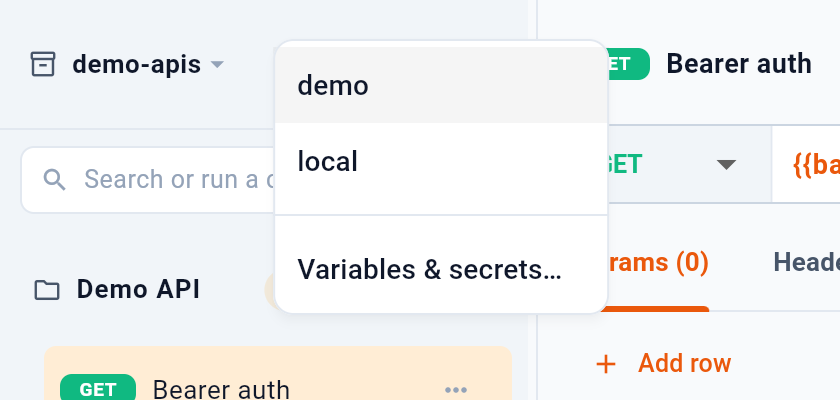
1 lists the environments in the workspace — here demo and local. Switching changes what every reference resolves to, with nothing else to edit. 2 opens the editor for values and secret names.
6.3Editing values
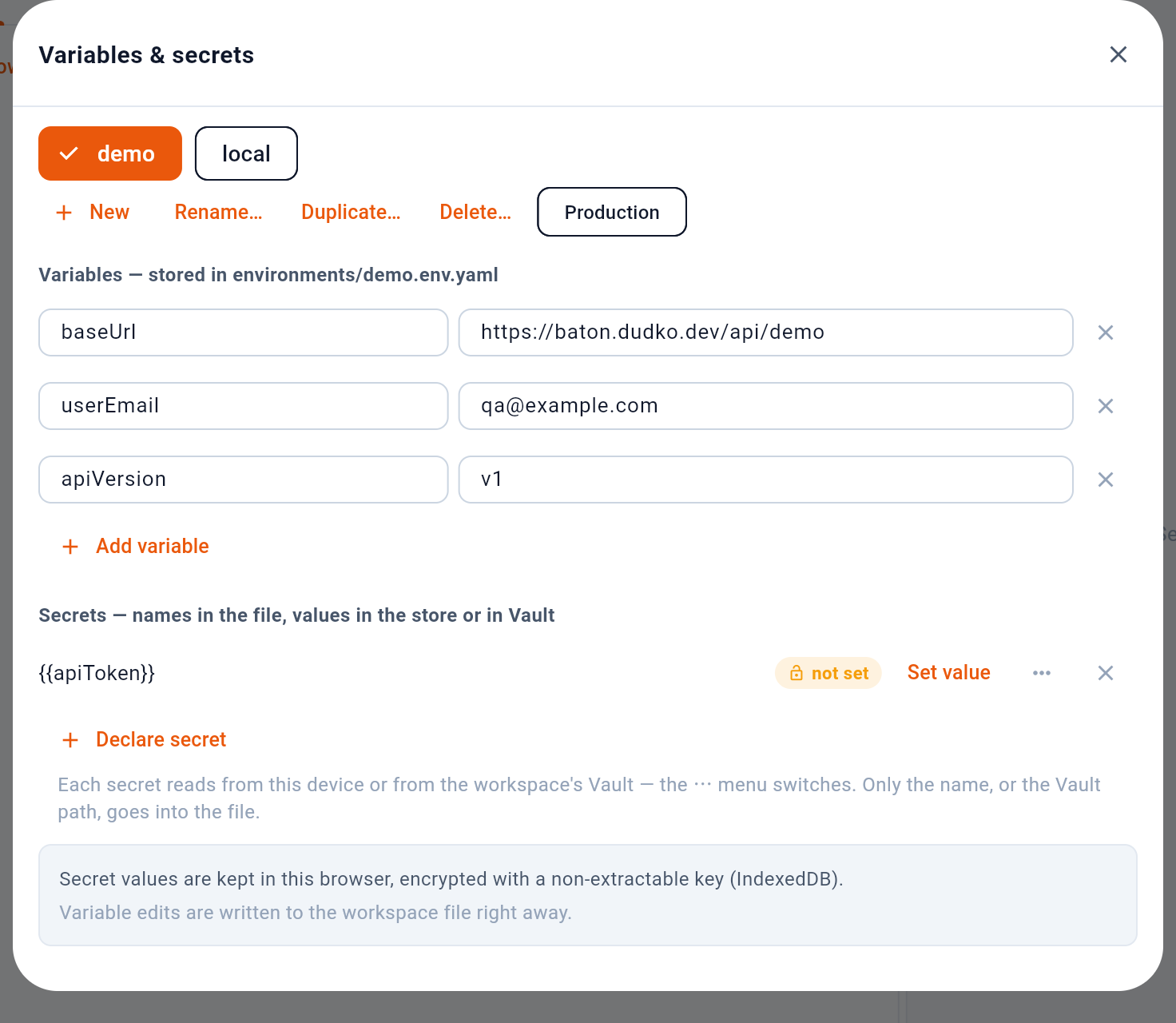
- Pick the environment to edit
- Create, rename, duplicate, delete
- Production: an agent's send asks you first
- Plain values, written to the file
- Secrets: only the name is stored
1 picks which environment is being edited, independently of which one is active. 2 creates, renames, duplicates or deletes one — duplicating is how a staging is made from a production without retyping every row. 3 marks it as production, below. 4 is the plain variables, and the heading names the file they are written to. 5 is the secrets, which work differently enough to have their own chapter.
6.4Marking production
3 changes nothing for you: requests into a production environment send as they always do. It changes things for an AI agent connected to the app (Section 14). A send from an agent into a production environment waits until you confirm it in the app, and if you refuse, the agent is told it was your decision, not a failure to retry. The mark is production: true in the environment’s file, so it travels with the repository to everyone who clones it.