 Baton
Baton Chapter 4
Collections and requests
A collection is a folder of requests, and it may contain folders of its own. The tree in the sidebar is the directory on disk — renaming a collection renames a directory, and git sees exactly that.
4.1Adding things
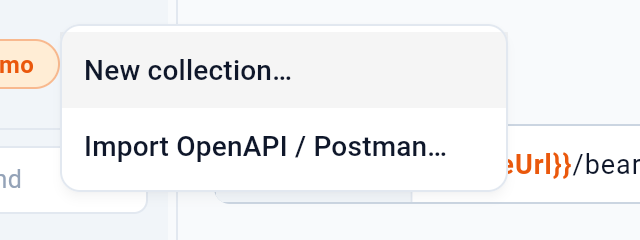
1 creates an empty collection. 2 imports one — from OpenAPI, Postman, Bruno, Insomnia, Yaak or a curl command — which is usually how an existing project arrives.
4.2Bringing a collection in
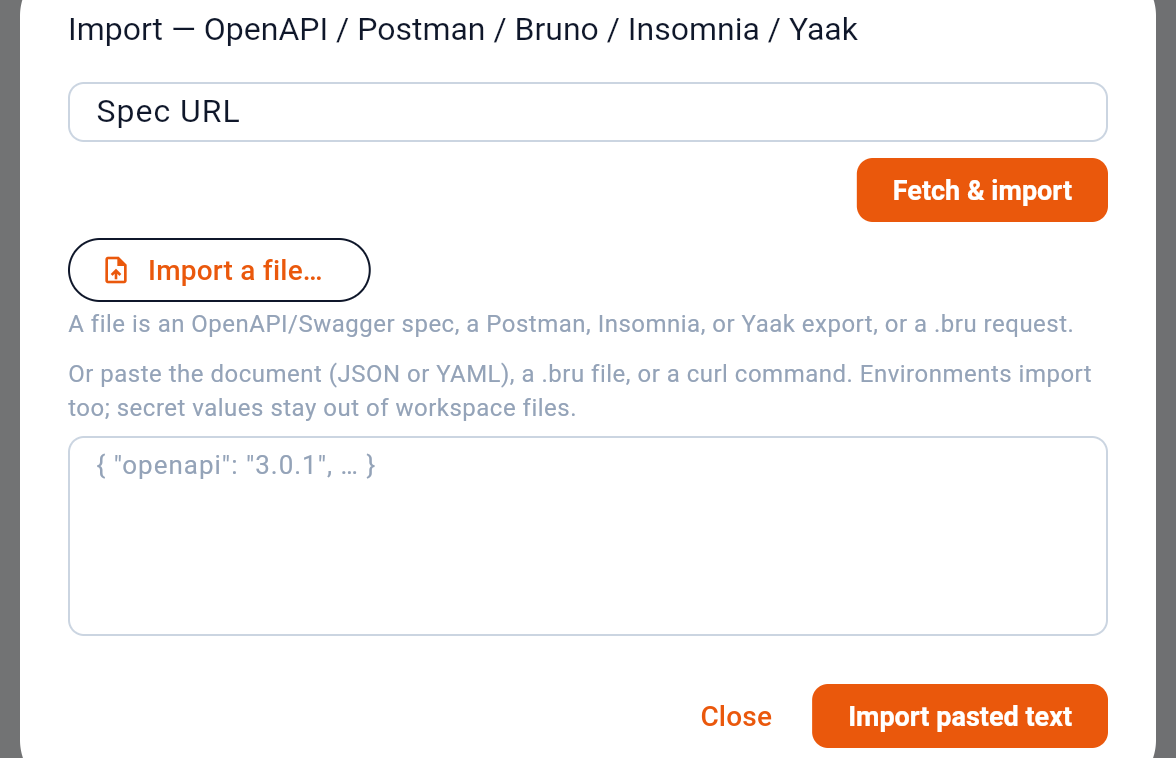
- A file from disk
- Or the URL above, fetched now
- Or pasted text — a spec, or a curl command
- Import what was pasted
1 reads a file from disk. 2 fetches the URL typed in the field above — a hosted OpenAPI document is usually one link. 3 is for pasted text: a spec, or a curl command, which is the shortest path from a request copied out of a browser’s network tab to a saved one. 4 imports what was pasted.
The format is detected, so there is nothing to pick. OpenAPI 3 and Swagger 2, Postman collections and environments, Insomnia and Yaak exports, a Bruno collection, one .bru file and a curl line all become the same thing — request files in Baton’s format, written into the workspace and visible to git. On the desktop a whole folder can be chosen as well, which is how a Bruno collection, or an Insomnia or Yaak folder kept in git, comes in.
Secrets stay out of the files on the way in too. Where the source marks a value as secret — Bruno, a Postman environment — only the name lands in the environment file, and the value, if there was one, goes to this device’s secure store (Section 7). Insomnia and Yaak exports mark nothing, so their values arrive as plain variables, and the import names the ones that look like credentials so they can be made secrets before the first commit.
What cannot be represented is reported rather than dropped. Scripts written for another client’s API are counted and left out — Baton’s baton.* API is different on purpose — and file parts or binary bodies, which point at paths on someone else’s machine, arrive as names under files/ for you to copy in.
Every collection header carries its own menu.
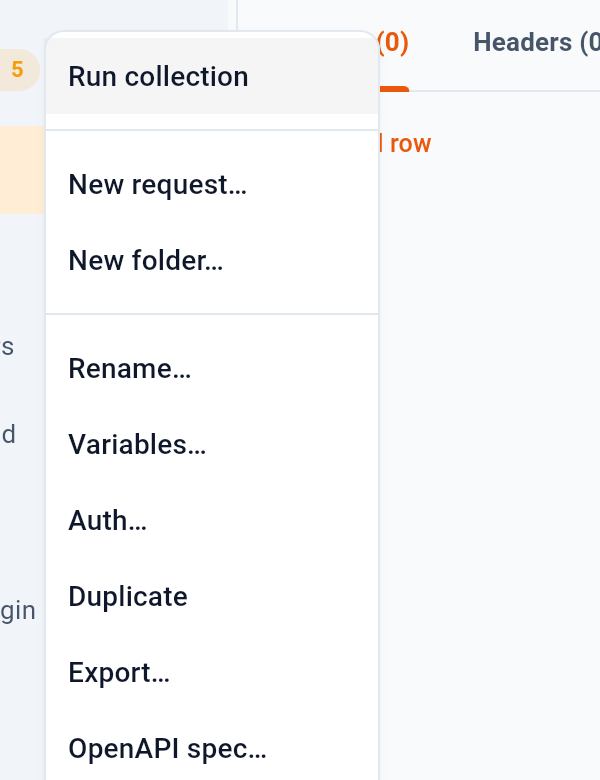
- Run every request in order
- Add a request or a folder
- Variables and auth for the whole collection
- Export to OpenAPI or Postman
1 runs every request in the collection in order — see Running a collection 12. 2 adds a request or a folder inside it. 3 opens variables and auth that apply to the whole collection, so a base URL or a bearer token is written once. 4 exports the collection back out to OpenAPI or Postman. At the foot of the menu, OpenAPI spec… links the collection to the document it follows — the next section.
4.3Following an OpenAPI spec
A collection can name the OpenAPI document it follows: a file in the workspace, or an https address. An import from an address sets this by itself. From then on Baton holds the collection against the spec — when the workspace opens, after every reload and sync, and on request — and a badge on the collection header counts the differences.
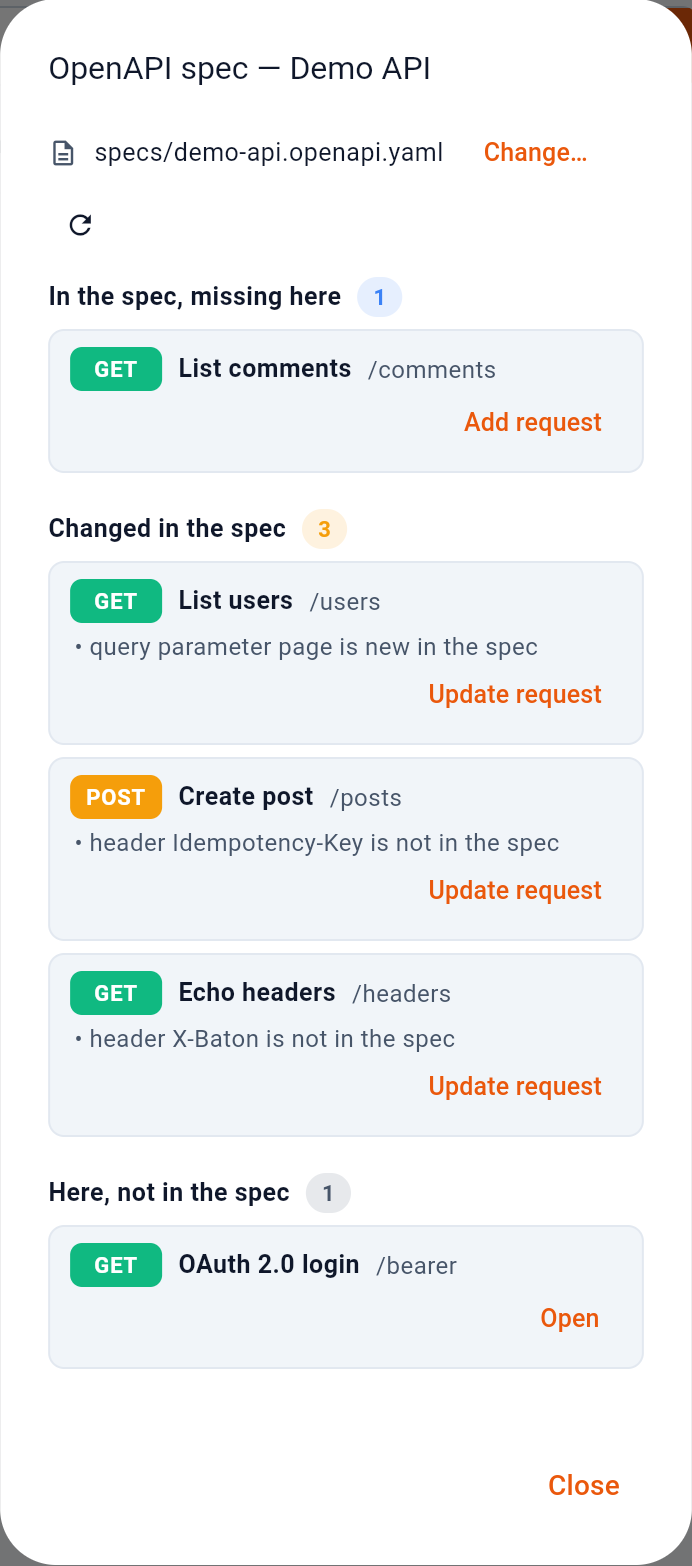
- Compare again
- Operations with no request: Add request
- Requests the spec moved on from: Update request
- Requests the spec does not know
1 compares again. What it found is sorted into three lists. 2 is operations the spec has and the collection does not; Add request writes the request an import would have written — the address, the documented parameters, a sample body, the spec’s response examples — and opens it. 3 is requests the spec has moved on from: a new query parameter, a renamed path parameter, a body where there was none. Update request opens the request with those additions as an unsaved draft, which the banner over it accepts or discards; your own values are left as they are. 4 is requests the spec does not describe. Deleting one is your decision, so the only action there is Open.
4.4Taking one back out
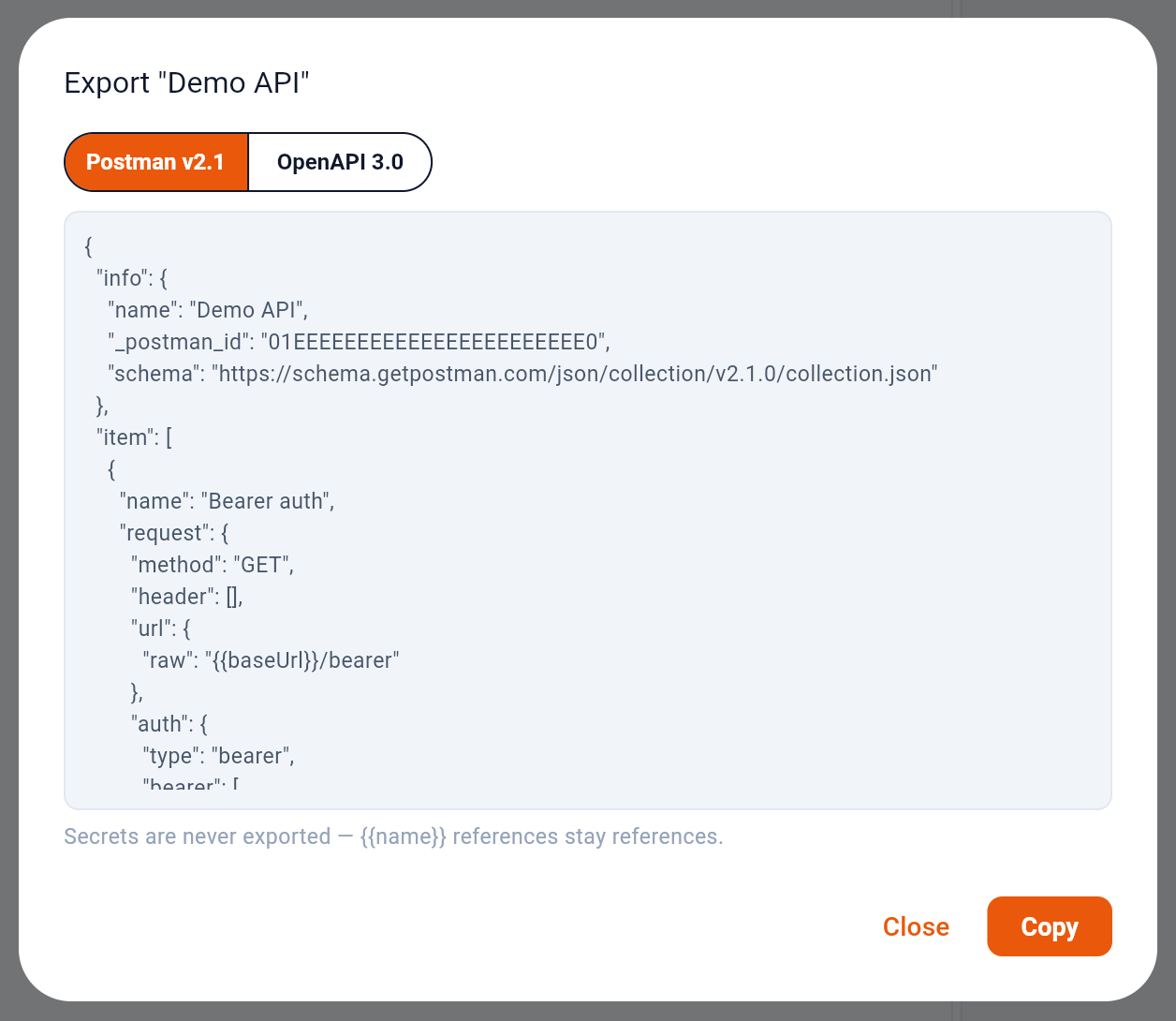
1 chooses the format and the text below follows the choice. 3 copies it; there is no file written and nothing sent anywhere.
2 is the part worth reading twice. An export carries the shape of the requests and none of the credentials: {{baseUrl}} leaves as {{baseUrl}}, and a secret is never resolved into the document, because the document is about to travel somewhere the workspace rules no longer apply.
4.5Several requests at once
Opening a request adds a tab above the editor, and the tabs stay until you close them. The tab keeps unsaved edits, so moving to another request and back does not lose anything.