 Baton
Baton Chapter 7
Secrets
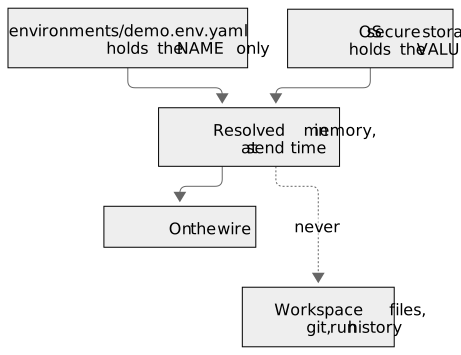
The workspace is a git repository, and a repository gets cloned, shared and occasionally leaked. So Baton splits a secret in two: the name is part of the workspace, the value never is.
7.1What is stored where
The environment file records that a secret called apiToken exists. The value sits in the operating system’s secure storage — or in HashiCorp Vault, below — — Keychain on macOS, DPAPI on Windows, libsecret on Linux, the Keystore on Android — and in the browser build, in storage encrypted with a key the page itself cannot extract. The two meet only in memory, at send time.
7.2Declaring one and giving it a value
In Variables & secrets the lower half lists secrets.
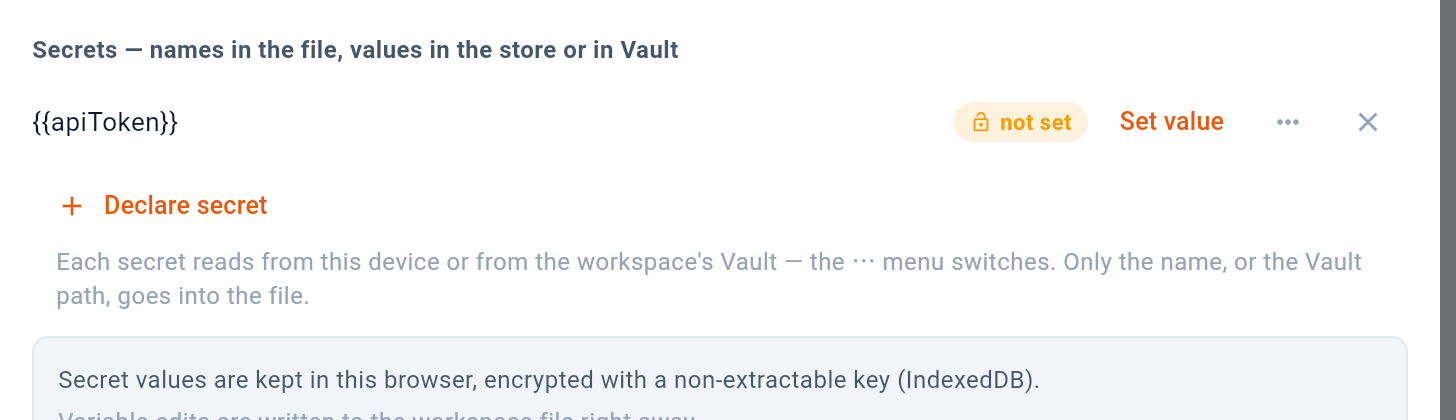
- Only the name is written to the file
- Put the value in this machine's store
- Forget both halves
- Declare a new one
- This device, or a path in Vault
1 says where the names are written — the environment file, which is in git. 2 sets the value on this machine. 3 forgets both halves at once. 4 declares a new one. 5 chooses where the value comes from: this device, or Vault.
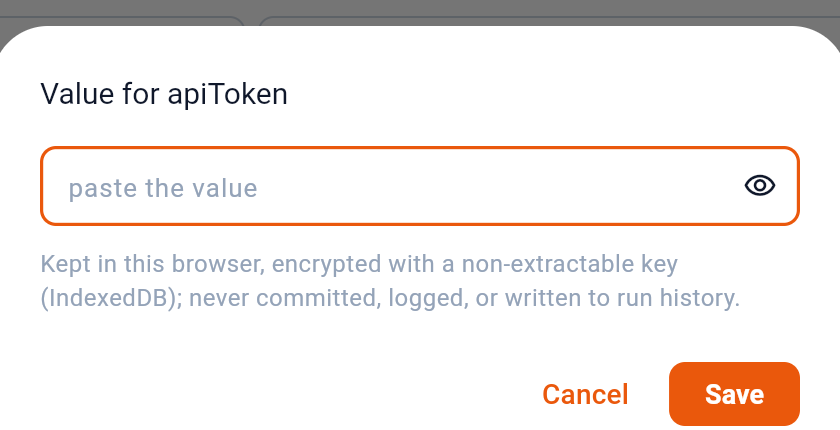
1 reveals what you typed, for checking a paste. 2 stores it.
- Press Declare secret and name it. The name goes into the environment file.
- Press Set value on its row and paste the value. It goes to the store.
- Use it as
{{apiToken}}anywhere a value is typed.
The result is visible in Sent after the next run: the header is there, its origin is named, and the value is not shown.
Undeclare and forget the value removes both halves: the name leaves the file and the value leaves the store.
7.3Values from HashiCorp Vault
A team that already keeps its credentials in HashiCorp Vault does not have to copy them into every machine’s store. A secret can read its value from a Vault path instead: the path goes into the environment file, and the value is fetched when a request is sent and kept nowhere.
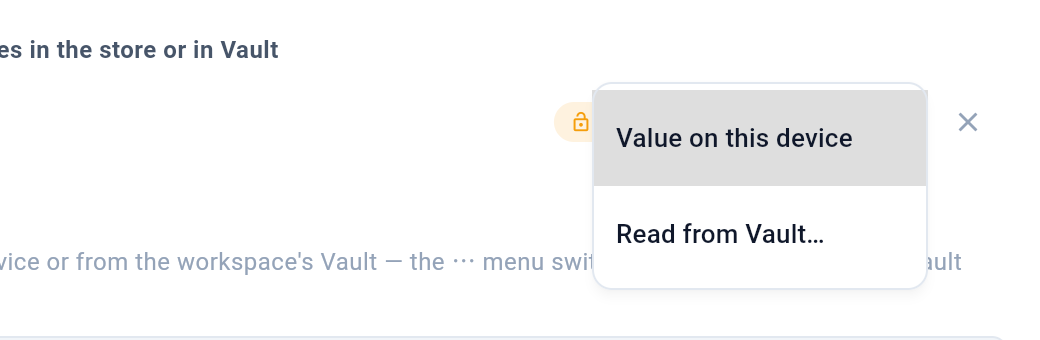
1 keeps the value in this device’s secure store, as above. 2 asks for a path in Vault instead — a KV version 2 path and the field in it, such as kv/billing/prod#password.
The Vault itself is set once per workspace, under Settings → Vault:
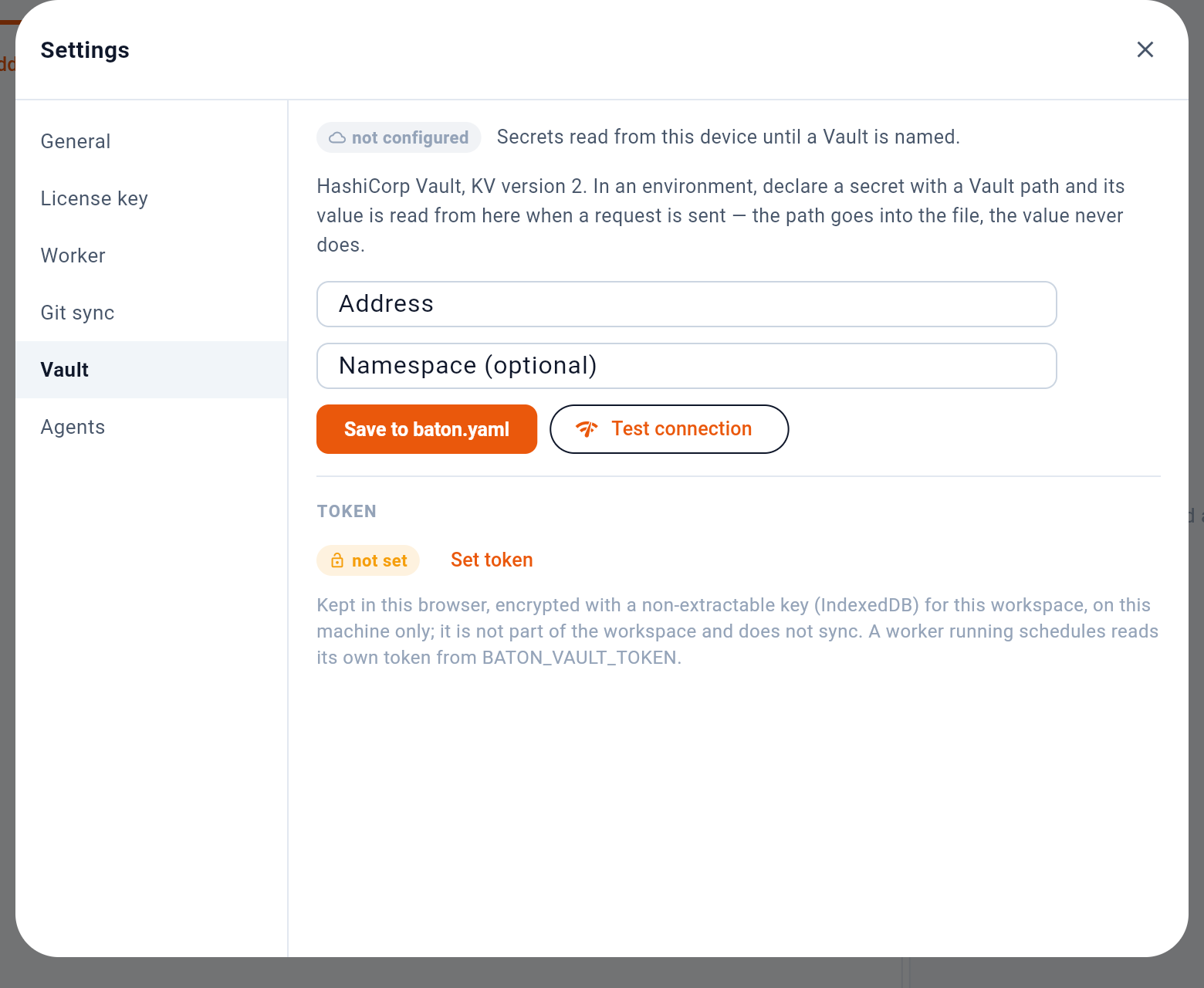
- Whether a Vault is named
- Address and namespace go into baton.yaml
- Check the address and the token
- The token stays on this device
1 says whether a Vault is named; until one is, every secret reads from this device. The address and the optional namespace belong to the workspace, and 2 writes them to baton.yaml, so a colleague’s checkout and the worker read the same server. 3 looks the token up against the address as typed, so a wrong address or namespace shows before anything is saved. 4 sets the token — which, unlike the address, stays on this machine, in the same store as any other secret value. A worker running schedules takes its own token from BATON_VAULT_TOKEN.
7.4When a secret is missing
A request that references a secret with no value does not get sent. The response panel says so plainly:
ResolveError: unresolved secrets: apiTokenThat is the whole failure — nothing left the machine. Set the value and send again.
7.5What never contains a secret
Baton goes out of its way to keep resolved values out of anything written down. Run history records the request as it was written, not as it was resolved. The Sent view masks credential headers and shows a placeholder in their place, so it can be screenshotted. Logs record sizes and hashes, never bodies or authorization headers. A snippet copied with Copy as code carries {{secret:name}} rather than the value, because a snippet exists to be pasted into a chat or an issue — exactly where a credential must not follow it.