 Baton
Baton Chapter 16
The desktop build
Everything so far was captured in a browser, because that is the build anyone can open without installing. The desktop builds — macOS, Windows, Linux — run the same Flutter code and look the same. The window below is the Linux build with the bundled demo, a key entered, and {{baseUrl}}/users answered in under half a second — nothing in the chapters before this one reads differently here.
Three things are genuinely different, and they are the reasons to install one.
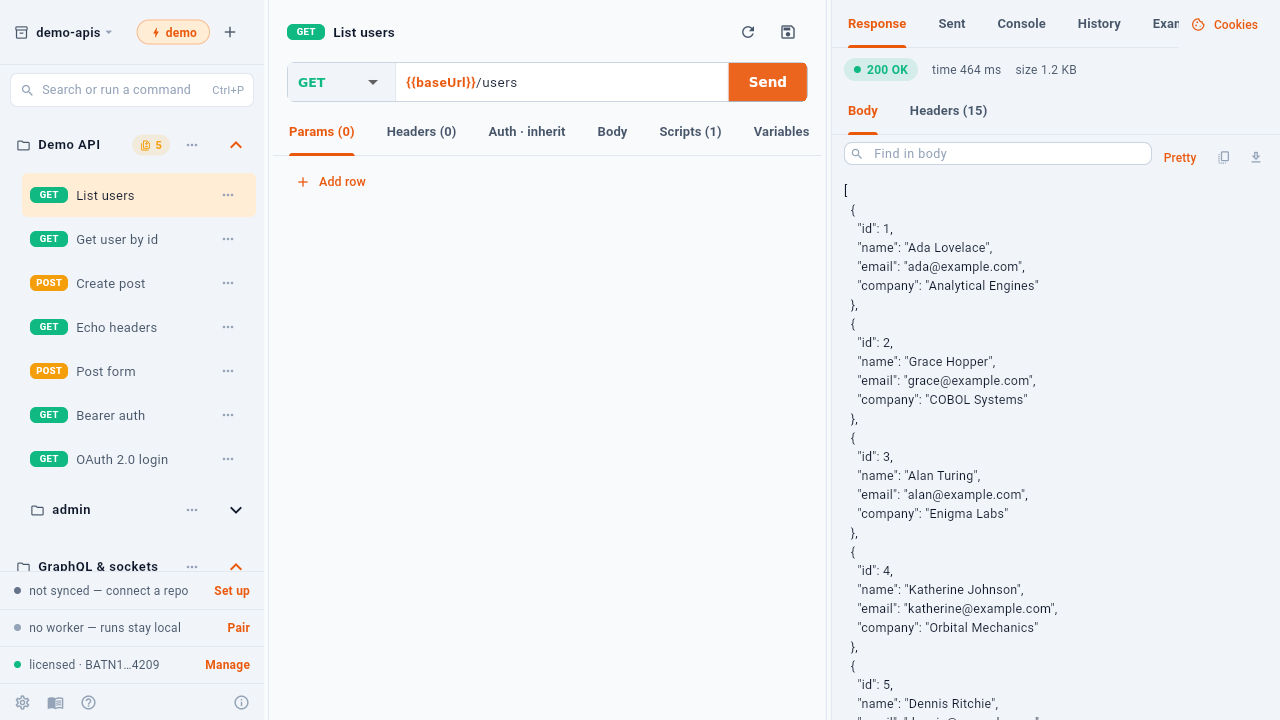
- Workspace — on the desktop, a folder you choose
- Command palette
- Send, and a square to stop it
- The cookie jar — it works here
- Settings, with a folder picker and updates
16.1A workspace is a real folder
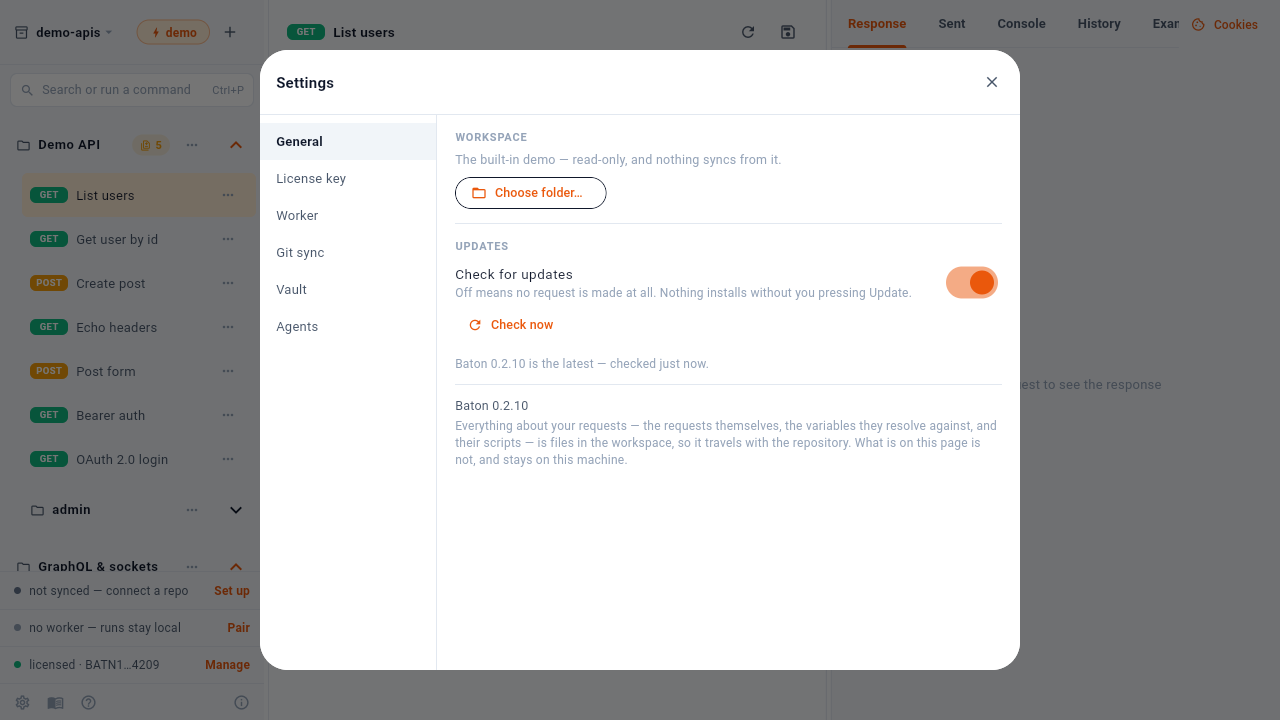
Choose folder… points Baton at a directory, and that directory is the workspace: the YAML files are on disk where any editor, any script and git itself can reach them. A browser has no folder to point at, so it keeps a workspace in browser storage and reaches git through a host’s API or a worker.
The Updates section is the other one. A desktop build checks the site for a new version and installs it in place when you press Update the check carries no identifier and the toggle turns it off entirely. Store builds update through the store, and the browser build is simply whatever the site is serving.
16.2Cookies work
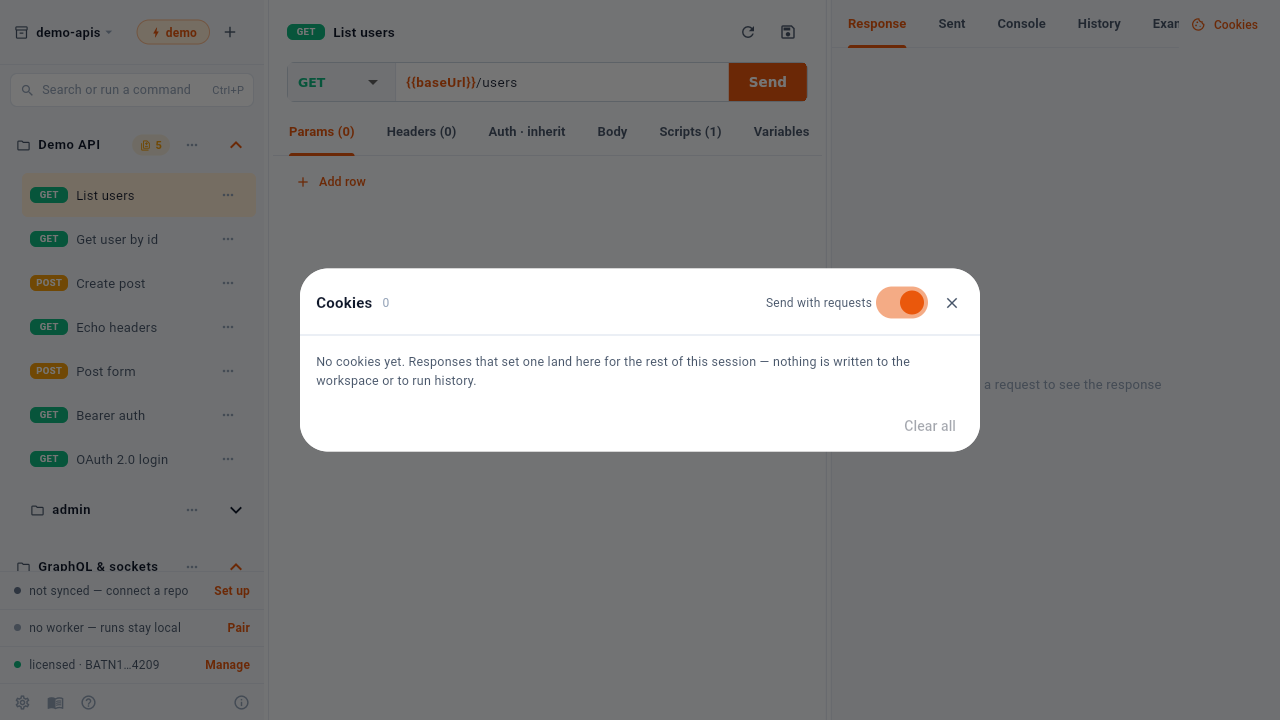
A response that sets a cookie lands here and is sent with later requests for the rest of the session — and nothing about it is written to the workspace or to run history, because a cookie is usually a session credential.
In a browser this dialog says instead that the build cannot use cookies at all. That is the platform’s rule, not Baton’s: a page may neither set a Cookie header nor read Set-Cookie, which is exactly what stops a web page forging another site’s session.
16.3Git without an intermediary
The desktop builds talk to git directly, so a commit is made and signed on your machine and the full history is local. Through a host’s API — the browser’s only option without a worker — the commit is created by the host, which means no local history and no commit signing. If signed commits matter, this is the build to use.