 Baton
Baton Chapter 13
Git sync and the worker
13.1How sync works
Sync is commits in your repository. There is no sync server: Baton writes the same YAML files a human would, commits them and pushes. The transport differs by platform — a real git client on desktop, a host’s REST API or a paired worker in a browser — but the destination is always the repository you own.
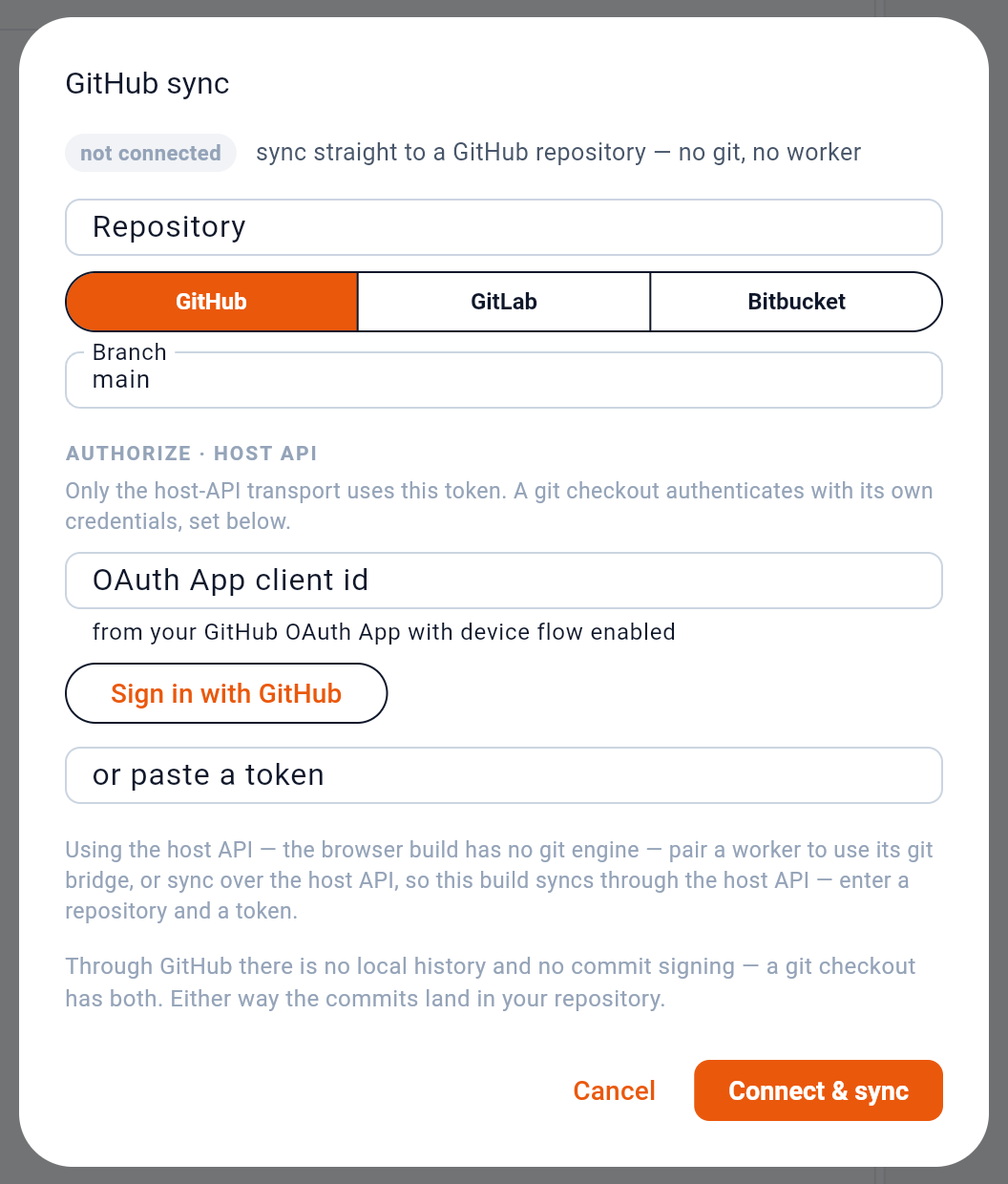
1 shows whether this workspace is connected. 2 picks the host — GitHub, GitLab or Bitbucket. 3 authorizes by device flow, so no password is typed into Baton.
Because the files are deterministic — fixed key order, two-space indent, stable quoting — a change to one request is a small diff, and two people editing different requests merge without conflict. When the same request changes on both sides, Baton resolves it field by field rather than line by line, and asks about anything it cannot settle.
13.2The worker
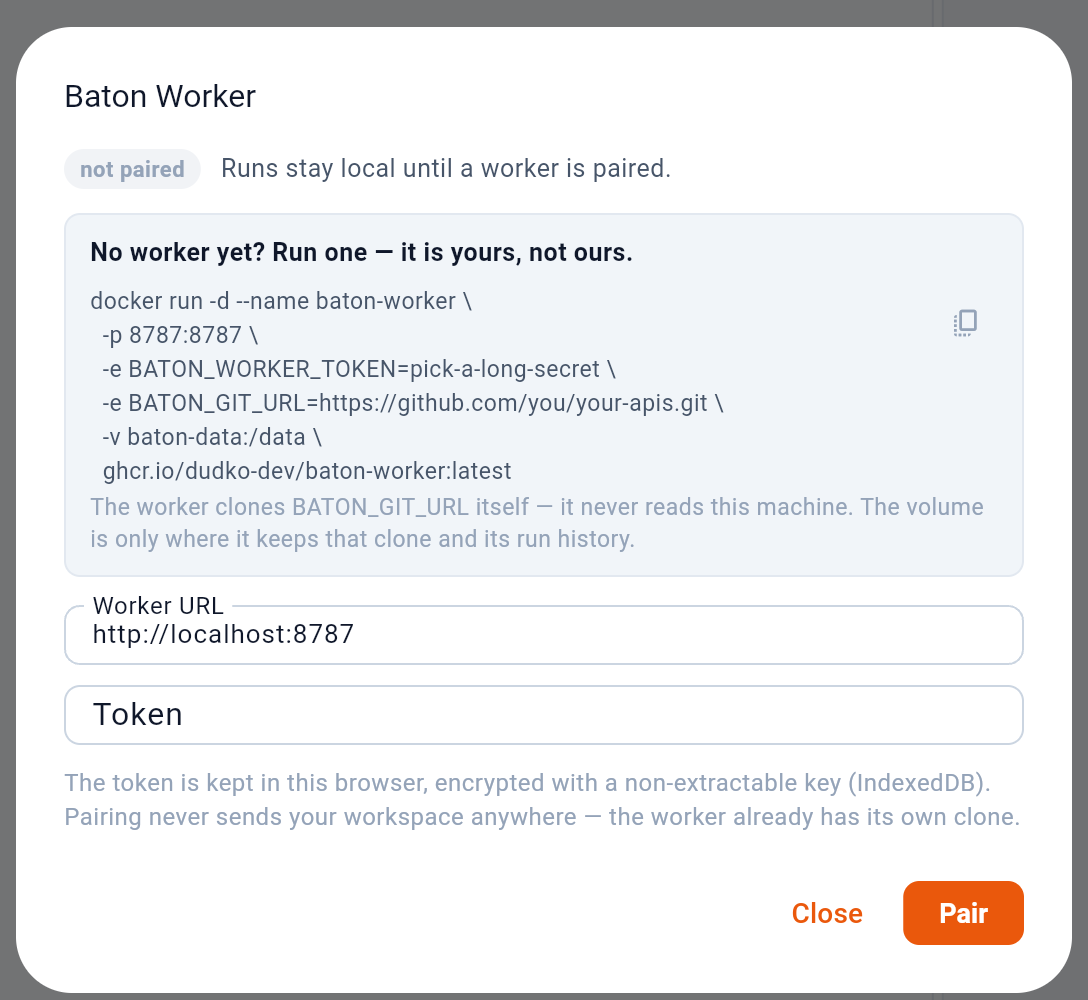
A worker adds three things: scheduled runs, a git bridge for the browser build, and a relay for APIs a browser may not call directly. 1 is the command that starts one, 2 copies it, 3 pairs once it is up.
It is not a service of ours. The container clones your repository itself and never reads the machine Baton is running on; the pairing token is kept in the browser’s encrypted storage.
13.3In CI
The worker’s runner is also a one-shot command, baton-worker run, for a CI job: it runs a checkout’s collections once, request after request, and exits with a verdict. No server and no pairing token — the checkout, and secrets in environment variables, are all it needs.
BATON_SECRET_APITOKEN=… npx -y @dudko.dev/baton-worker run \
  --workspace . --environment staging \
  --collection collections/users-api \
  --reporter junit --output baton-report.xml
A request fails when it cannot be sent, answers with a 4xx or 5xx status, or fails a test. The exit code is 0 when every request passed and 1 otherwise, so the job fails with them. --reporter junit writes the report a CI shows in its test tab, json one for a script, and secrets are masked by value in all of them. The worker’s container image runs the same command:
docker run --rm -v "$PWD:/data/workspace" -e BATON_SECRET_APITOKEN \
ghcr.io/dudko-dev/baton-worker run --workspace /data/workspace --environment staging13.4Mock servers
Saved examples (see the chapter on sending) are enough to stand an API up without the API. A mock is a file in the workspace, mocks/<name>.yaml, that names a port and the collections to answer for. The worker starts it through its API and answers every request in those collections that has an example. The route is the request’s address without its host, so {{baseUrl}}/users/{{id}} answers GET /users/42, and the answer is the example as saved — status, headers and body. The MCP server can start the same mock, so an agent writing a client can work against it before the API exists. A mock listens on 127.0.0.1 only.
13.5Why a browser needs one
A page may only call an API that allows it by answering with CORS headers. Nothing a page can do changes that — not a Web Worker, not a Service Worker, not mode: 'no-cors', which returns a response with no status, headers or body. So the browser build either calls APIs that opt in, or relays through a worker, which sends from a server where the rule does not apply.