 Baton
Baton Chapter 11
GraphQL and WebSocket
11.1GraphQL
A GraphQL request is an HTTP POST with a particular body, and Baton treats it as exactly that — there is no separate client underneath, so everything in the other chapters still applies.
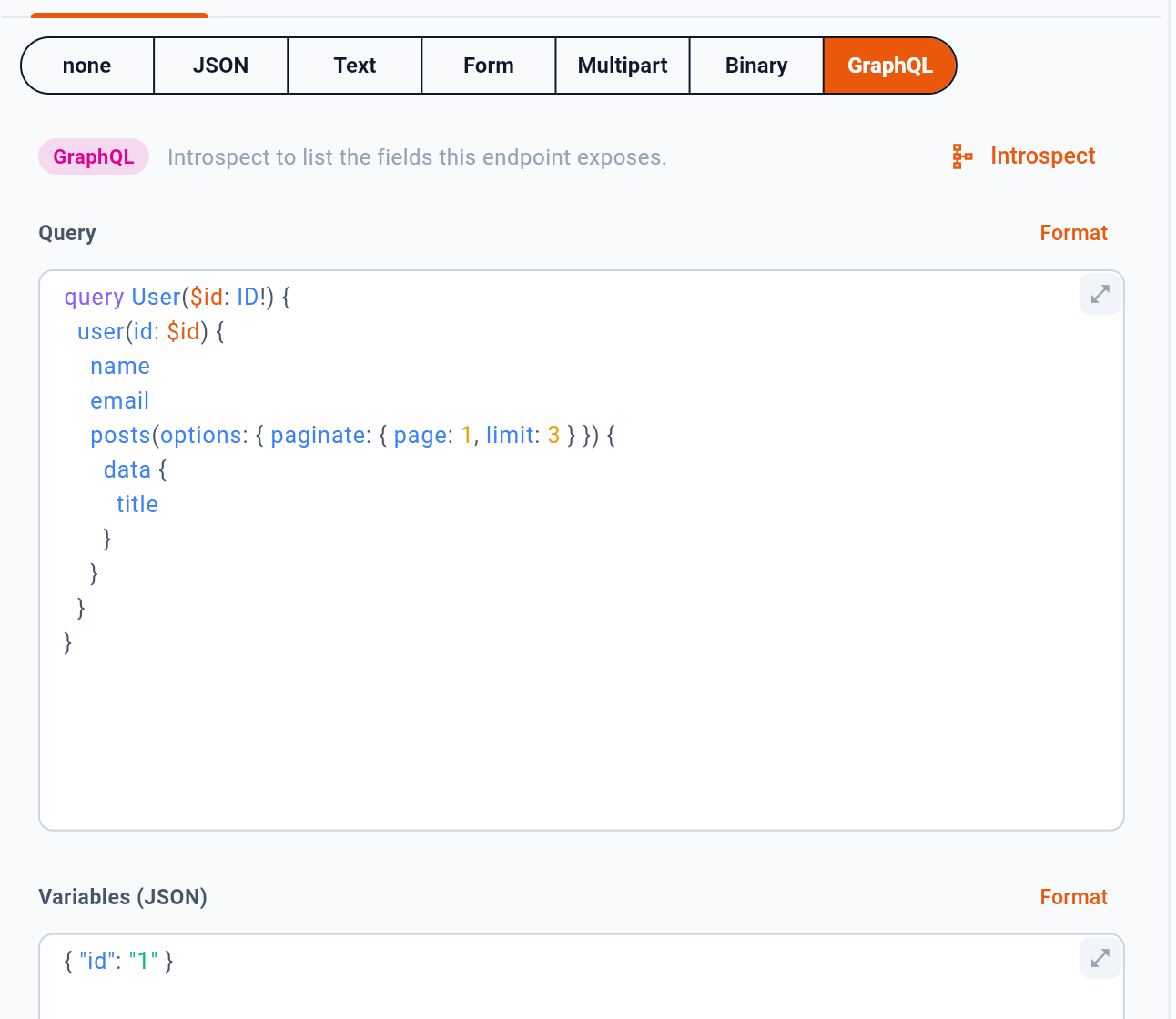
1 asks the endpoint to describe itself. Once it has, field names complete as you type the query. 2 reformats the query or the variables.
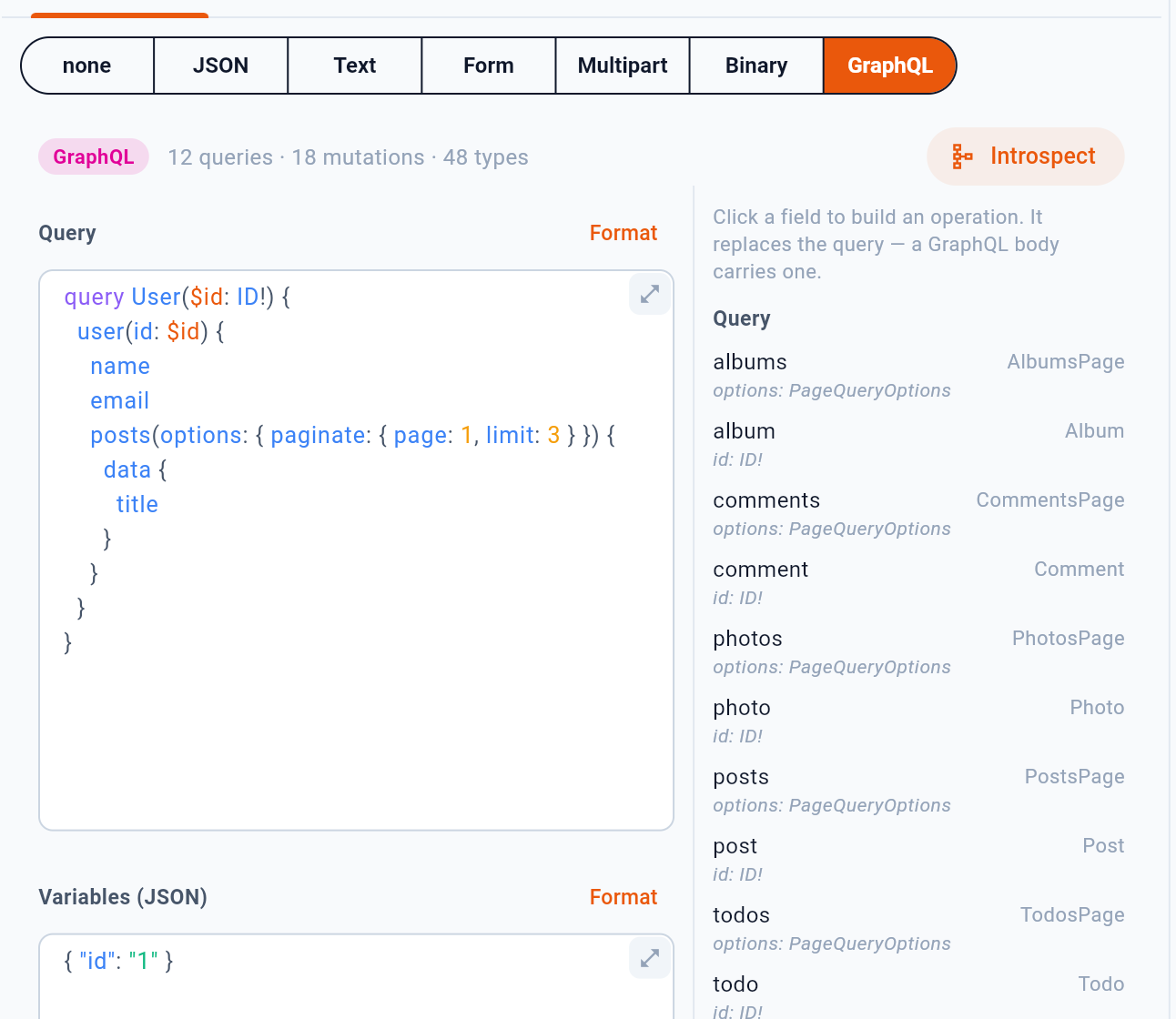
- One press; the schema stays until the request changes
- What came back
- Every query and mutation, with its arguments and type — click one to build it
1 is that same button, after it has been pressed. 2 sums up what came back — here 12 queries, 18 mutations and 48 types — and 3 lists every query and mutation the endpoint has, with its arguments and its return type. Clicking a field writes that operation into the query pane. A GraphQL body carries one operation, so the new one replaces what was there, as the line above the list warns.
The schema belongs to the request, not to the window: choosing another request drops it, and 1 fetches it again.
The query and the variables are two panes because variables are what change between runs; {{variables}} work inside both, so an id that differs per environment stays out of the query text.
11.2WebSocket
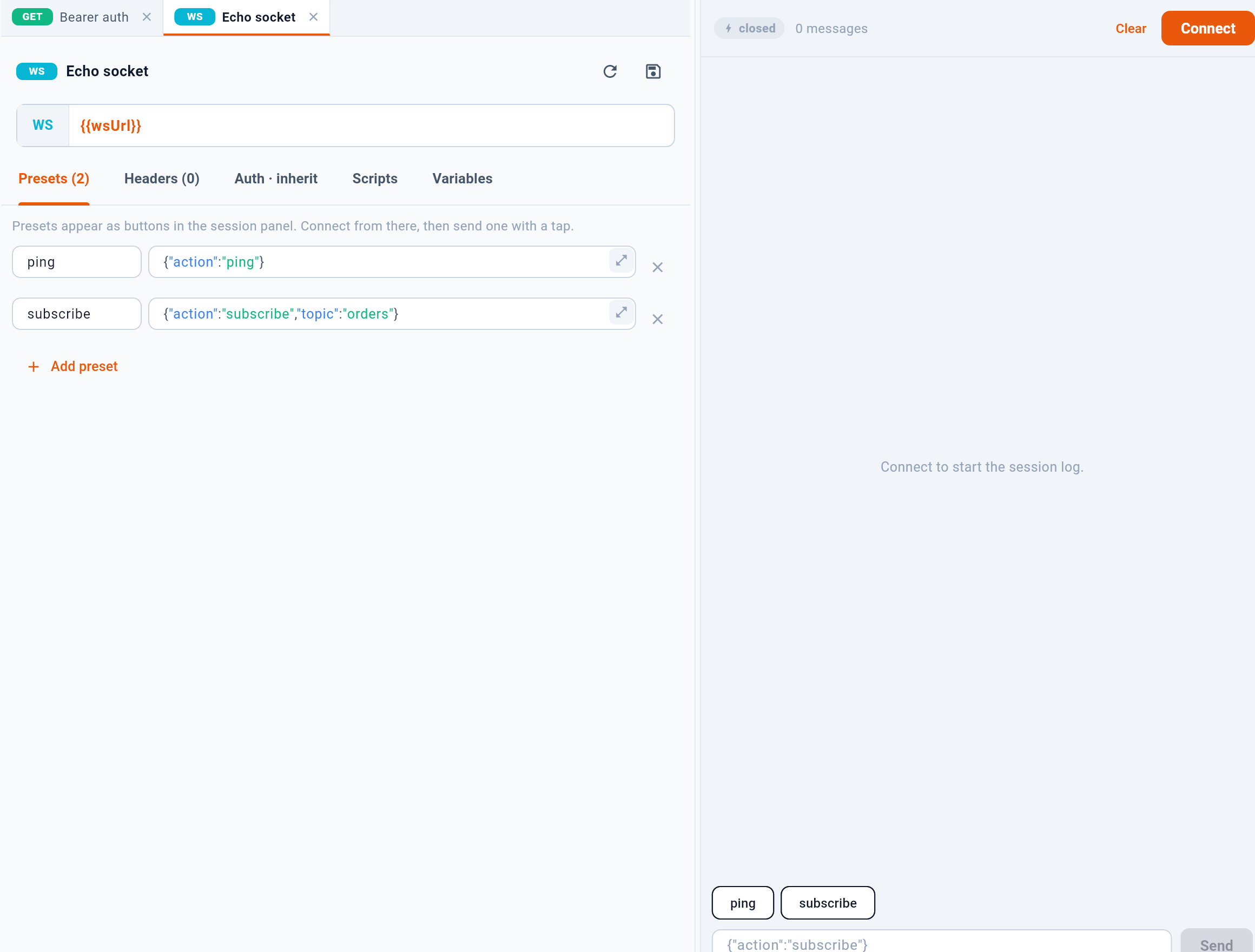
- Named messages to send over and over
- Add one
- Open the socket — the log fills below
- A preset: one press sends it
A WS request connects rather than sends, and stays connected. Presets are named messages you send repeatedly — a subscribe frame, a ping — so a session is driven by pressing names rather than retyping JSON. The log below records both directions with timestamps, and survives until you disconnect or clear it.
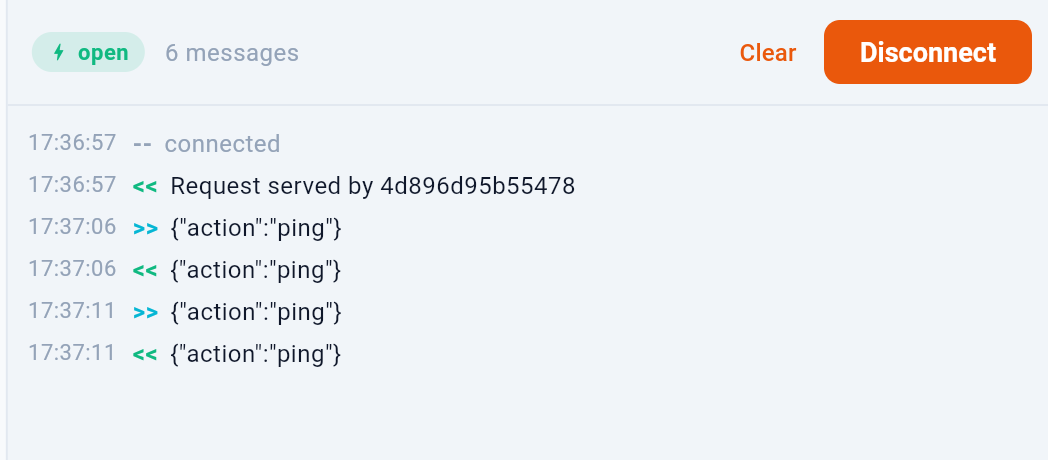
1 is the log. >> is a frame Baton sent, << one that arrived, and a line with neither is the session talking about itself: connected here, a close code when it ends. Every line carries the time it happened, so a silent minute is visible as a silent minute. 2 closes the socket; the log stays.
Pressing a preset sends it at once and leaves a copy in the box at the foot of the panel, so the next frame can be an edit of the last one rather than a retype.
Auth and headers work as they do for HTTP, which is how a token reaches a socket that expects one at the handshake.