 Baton
Baton Chapter 13
Git sync and the worker
13.1How sync works
Sync is commits in your repository. There is no sync server: Baton writes the same YAML files a human would, commits them and pushes. The transport differs by platform — a real git client on desktop, a host’s REST API on a phone, either that or a paired worker in a browser — but the destination is always the repository you own.
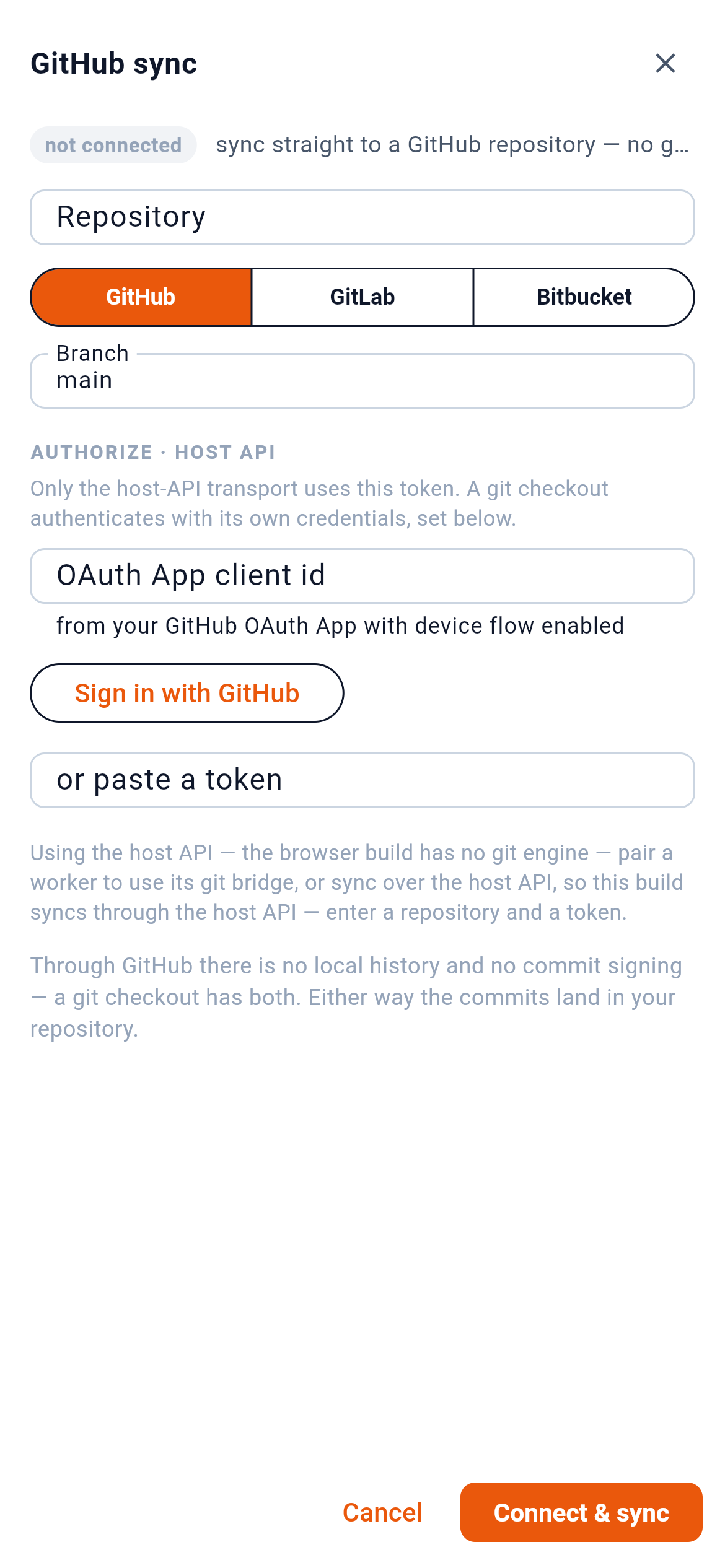
1 shows whether this workspace is connected. 2 picks the host — GitHub, GitLab or Bitbucket. 3 authorizes by device flow, so no password is typed into Baton.
Because the files are deterministic — fixed key order, two-space indent, stable quoting — a change to one request is a small diff, and two people editing different requests merge without conflict. When the same request changes on both sides, Baton resolves it field by field rather than line by line, and asks about anything it cannot settle.
13.2The worker
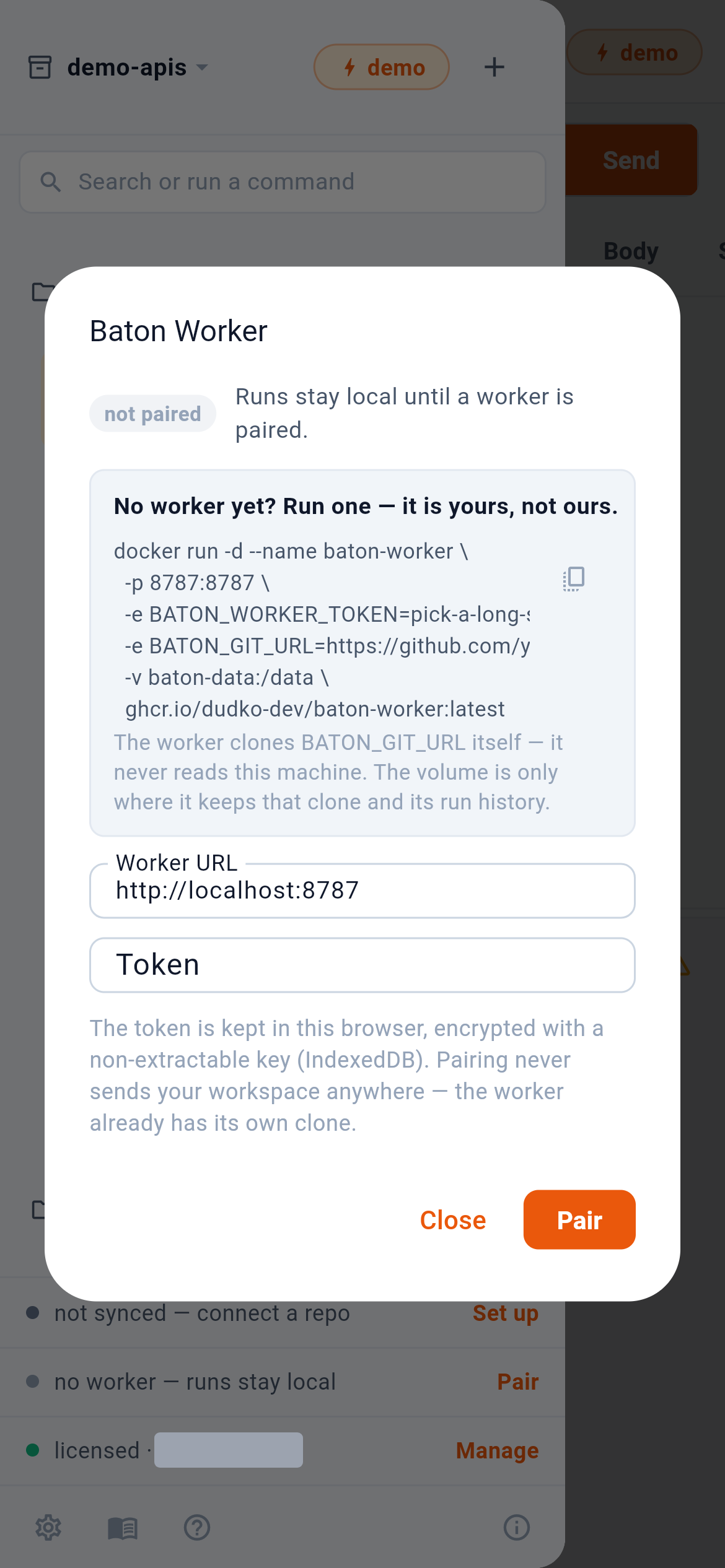
A worker runs your collections on a schedule, on a machine of yours that is always on — which a phone is not. It also relays requests and git for the browser build, which the phone apps do not need. 1 is the command that starts one, 2 copies it, 3 pairs once it is up.
It is not a service of ours. The container clones your repository itself and never reads the machine Baton is running on; the pairing token is kept in the phone’s secure store.
13.3On a computer too
The worker’s runner is also a one-shot command for a CI job, and saved examples can stand an API up as a mock server on the worker — both are things a computer runs, and the desktop guide describes them. A phone does not need a worker to reach an API at all: the apps send requests directly, with none of the rules a browser lives under.