 Baton
Baton Chapter 2
The screen
A phone shows one thing at a time, so Baton puts the request you are working on in front and everything else in a drawer. The request fills the top half, its response the bottom half, and the drawer slides in from the left with the workspace, the collections and the state of sync.
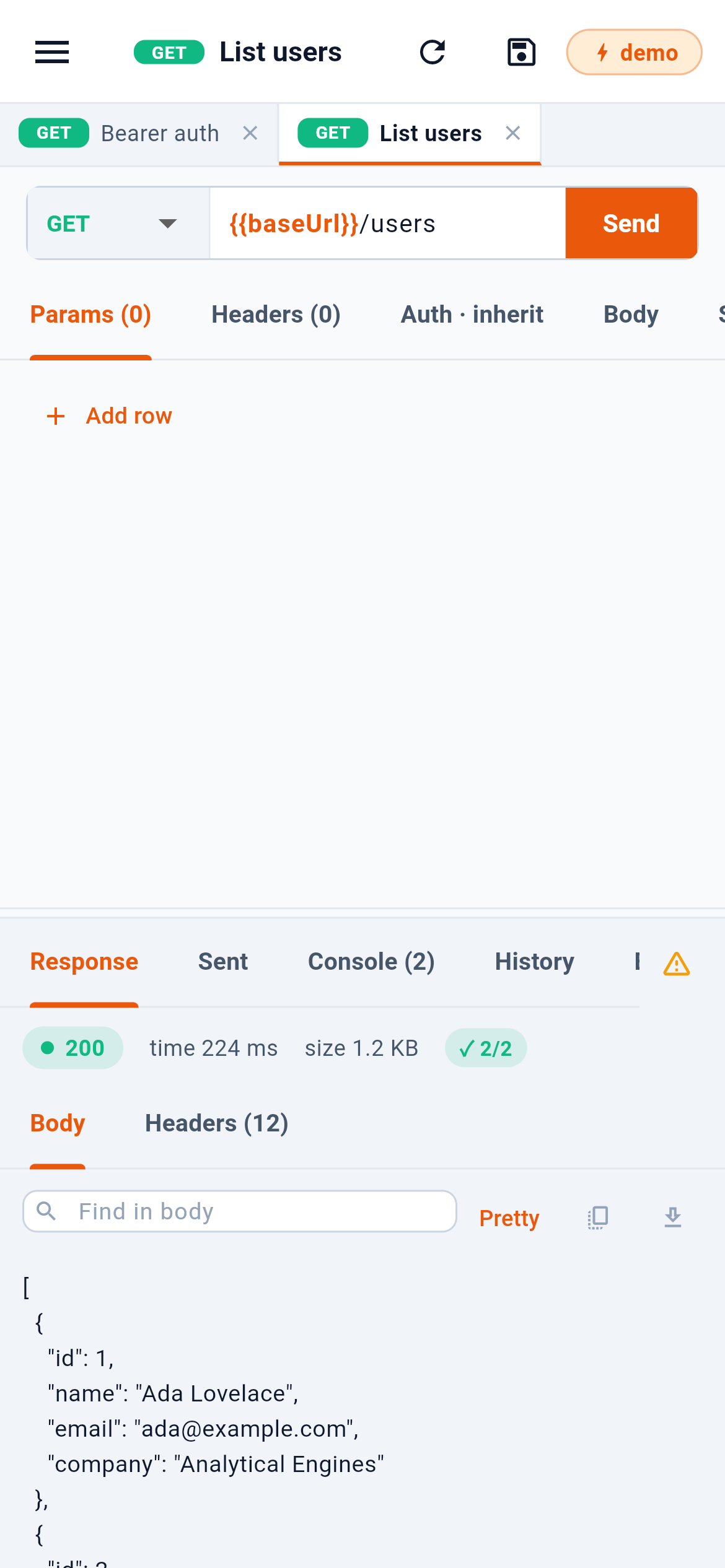
- The drawer: workspaces, collections, status
- Reload, save, and the active environment
- Open requests, a tab each
- The request: method, URL, Send and its tabs
- The response, under the request
1 opens the drawer. 2 re-reads the request from its file, saves it, and shows the active environment. 3 is the requests you have open, one tab each. 4 is the request itself — method, URL, Send, and the tabs under them. 5 is the response panel, which also holds what was actually sent, the console, the history and saved examples.
2.1The drawer
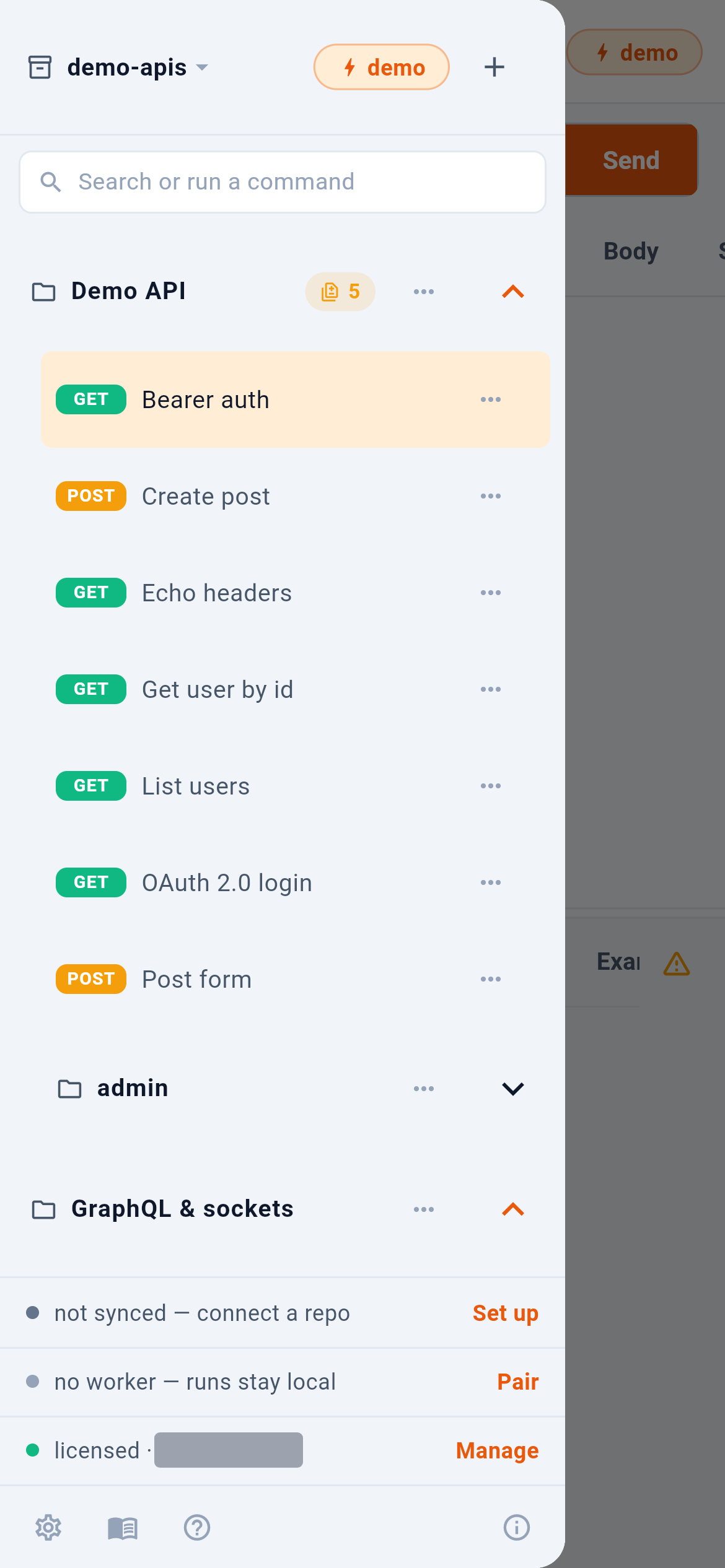
- Switch or create a workspace
- Active environment
- New collection, or import
- Search, or run a command
- A collection — tap to fold
The workspace name 1 opens the list of workspaces and the way to add one. The chip beside it 2 is the active environment: every {{variable}} in every request resolves against whichever one is selected here — the chip in the top bar only shows it. 3 adds a collection or imports one. 4 searches every request and runs commands. A collection header 5 folds and unfolds; tapping a request opens it and closes the drawer, and the ⋯ beside a collection or a request opens its menu.
2.2Search and commands
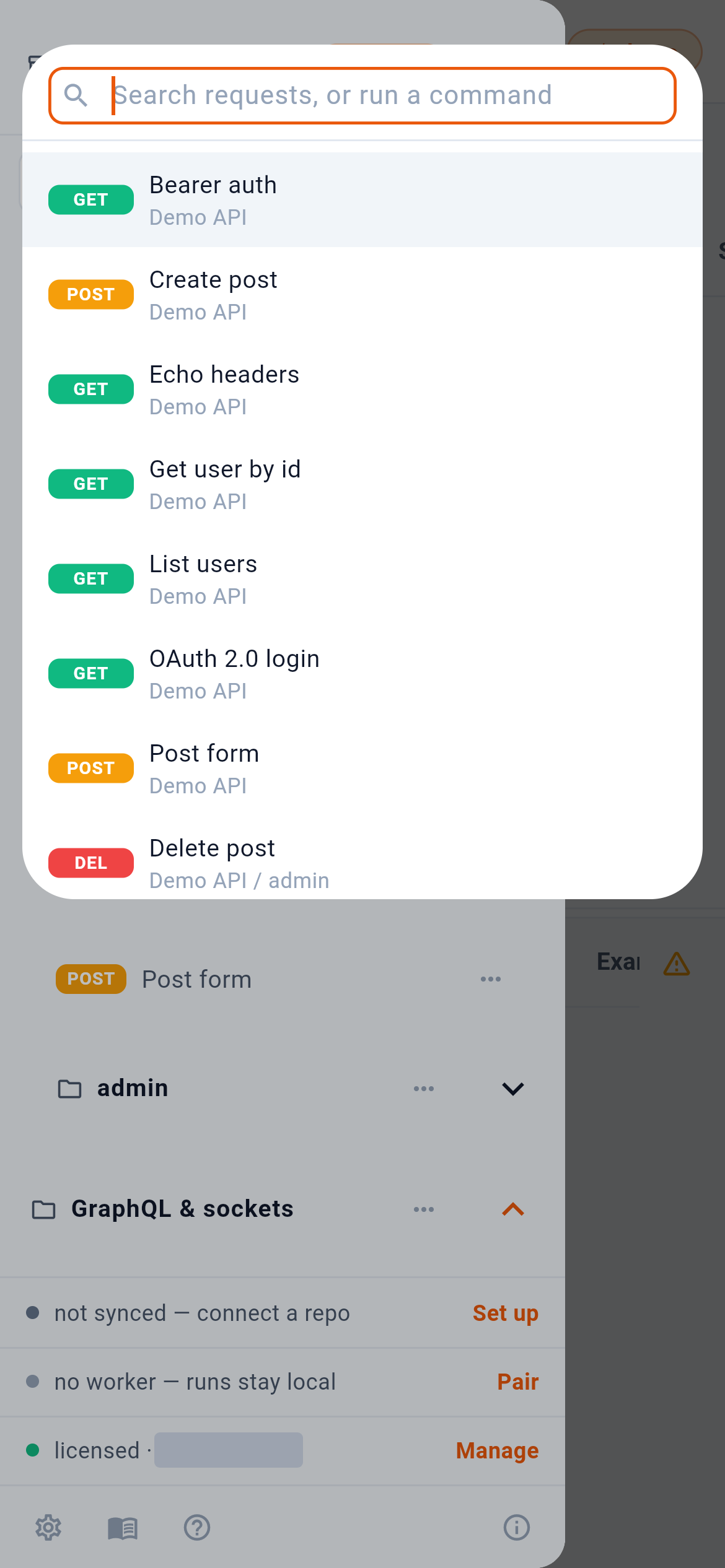
Typing into 1 narrows the list to requests whose name matches. 2 is every request with the collection it belongs to, including ones inside folded folders. Further down, the list offers to run a whole collection and to jump to the variables and secrets of the active environment.
2.3The status rows
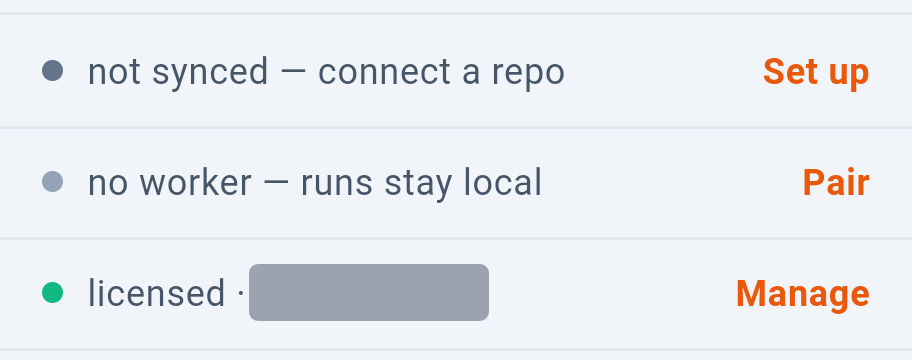
The rows at the foot of the drawer are buttons. 1 opens git sync and 2 worker pairing. 3 is the license, and it is there only in the build from the site, which these screenshots come from: the apps from the App Store and Google Play have no license row, because the store handles the purchase (Section 15).